Website monitoring
Website Monitoring Tools
Compare website monitoring tools for visual changes, text alerts, pricing pages, JavaScript sites, compliance, and competitor research.
Website monitoring tools watch pages or web responses and alert you when something changes. The best choice depends on whether you need visual comparison, text or DOM monitoring, JavaScript rendering, browser steps, compliance records, uptime checks, or competitor intelligence.
Choosing website monitoring tools
Website monitoring tools are easiest to compare when you test them against the same real pages and changes.
Website monitoring tools by monitoring mode
Visualping focuses on highlighted screenshots and visual change detection. Distill.io lets users select page elements, run cloud monitors, and keep history. changedetection.io offers targeted elements, browser steps, filters, and many notification formats. Ryvalise focuses on competitor websites, page discovery, type classification, stable coverage, and source-backed change summaries.
| Tool style | Best for | Main tradeoff |
|---|---|---|
| Visual monitor | Layout and design | More cosmetic noise |
| Element monitor | Prices and selected text | Selector maintenance |
| Browser monitor | Interactive pages | More setup and resources |
| Self-hosted monitor | Technical control | Operations ownership |
| Competitor intelligence | Cross-page market signals | Requires clear scope |
Visualping
Visualping is a strong fit for users who want to enter a URL, compare screenshots, receive highlighted changes, and use importance assistance. Its public use cases include competitor monitoring, SEO monitoring, regulatory monitoring, and website management.
Use it when the visual state matters. For semantic research, test whether the resulting alert makes the changed plan, heading, or product claim easy to identify.
Distill.io
Distill.io emphasizes selecting the parts of a page to track, monitoring in the background, cloud checks, notification channels, and version history. It fits a focused watchlist where a team knows which region contains the signal.
The main operational question is how selectors behave after a redesign. A precise region reduces noise until the page structure changes, so include maintenance effort in the evaluation.
changedetection.io
changedetection.io supports website changes, target elements, browser steps, notification integrations, and filtering. It can be attractive for technical teams or self-hosted workflows.
The team must own deployment and operations when self-hosting. Secure the service, update browser dependencies, and confirm that alerts and stored snapshots do not expose sensitive information.
Ryvalise
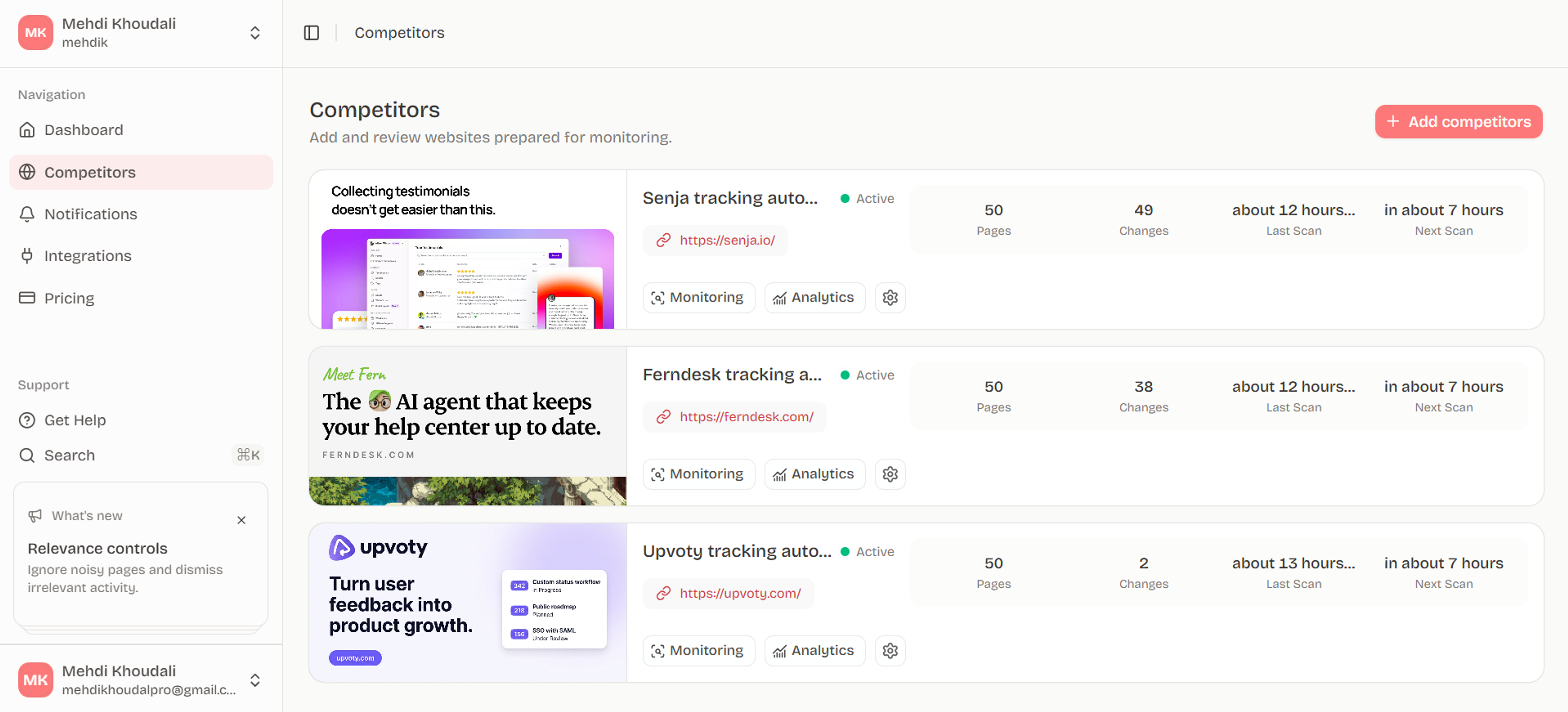
Ryvalise is designed for competitor website monitoring rather than isolated page checks. It crawls a bounded same-origin set, deduplicates URL variants, classifies page types, prioritizes stable and high-signal pages, and stores evidence behind concise activity summaries.
That is useful when the question is broader than “did this URL change?” The team can ask which pricing, product, positioning, proof, or conversion pages changed and review the source in context.
How to choose a tool
Use one page of each type in a pilot: pricing, product, changelog, comparison, and content hub. Test dynamic content, a known semantic change, a page with a redirect, and a temporary thin render. Then score signal quality and review time.
| Pilot score | What to ask |
|---|---|
| Coverage | Does it find the pages you need? |
| Accuracy | Does it capture the meaningful region? |
| Noise | Does it suppress repeated volatility? |
| History | Can you review prior and current states? |
| Actionability | Can an owner decide what to do? |
Compare total operating effort
Add setup, selector maintenance, browser or proxy requirements, alert tuning, user training, and review time to the vendor comparison. A feature that looks free can be expensive when the team must maintain it manually. A managed tool can be worth more when it preserves history and reduces triage work.
Use a fixed pilot workbook with one row per alert. Record the page, change type, evidence quality, actionability, and minutes to review. At the end, compare the tools by useful signal per hour, not by raw monitor count.
Keep the tool aligned to the question
Use visual monitoring when appearance is the signal, text or DOM monitoring when meaning is the signal, and competitor intelligence when the question spans a domain. Choosing the wrong mode is a common source of noise and missed changes.
Make the pilot representative
Do not test only an easy static page. Include a JavaScript-heavy page, a pricing table, a long content hub, a page with a redirect, and a source with a known rotating module. Capture what each tool sees and how much work is needed to make the result useful.
The pilot should include the person who configures monitors and the person who reviews alerts. Their friction is different. A reliable operating decision accounts for both setup and recurring use.
Frequently asked questions
What are the best website monitoring tools?
Visualping is strong for visual monitoring, Distill.io for selected page regions, changedetection.io for technical flexibility, and Ryvalise for competitor-focused website intelligence. The best choice depends on the signal and workflow.
Can website monitoring tools monitor pricing pages?
Yes. Choose text or DOM monitoring for plans, prices, limits, and terms, and retain screenshots for context. Test how the tool handles toggles, dynamic pricing, and responsive layouts.
Which tool is best for JavaScript websites?
Use a tool that renders the page in a browser and waits for meaningful content. Confirm support for required interactions, redirects, authentication boundaries, and resource limits.
Is self-hosted website monitoring better?
Self-hosting can provide control and customization, but it transfers responsibility for security, upgrades, browsers, uptime, and notifications to your team.
How do website monitoring tools prevent alert fatigue?
They can use regions, selectors, ignore rules, thresholds, importance, and digest schedules. A page-aware monitoring policy is usually more important than a single global threshold.
Put the research into motion
Test a website monitoring workflow that starts with the pages and changes your team actually needs to review.
Start with Ryvalise