Website monitoring
Website Change Detection
Understand website change detection methods, compare visual and text monitoring, and choose a reliable way to catch important updates.
Website change detection compares a page or response over time and identifies what is different. It can use screenshots, visible text, DOM elements, API fields, or browser-rendered content. The right method depends on whether you care about appearance, meaning, structure, or a specific value.
Choosing website change detection
Website change detection works best when the capture method matches the type of change you need to see.
Website change detection methods
Visual detection compares screenshots and works well for layout, design, and defacement. Text detection compares words and numbers and is better for pricing, legal language, and product claims. DOM or element detection narrows the comparison to a plan card, table, or selector. Browser-based detection handles pages that need JavaScript or interaction before content appears.
| Method | Good fit | Watch out for |
|---|---|---|
| Screenshot | Layout and visual QA | Pixel-level noise |
| Visible text | Pricing and copy | Rotating modules |
| DOM or selector | Specific element | Selector drift |
| Browser-rendered | Modern web apps | More resource use |
| API or JSON | Structured values | Missing page context |
Detection versus interpretation
Detection should stay close to the source. It can report that a plan disappeared, a new heading appeared, or an integration was added. Interpretation can suggest that a competitor is changing its packaging or moving toward a new market. Those statements should remain separate so a reviewer can see exactly what was observed.
This separation is especially important when AI is used to summarize changes. An AI summary can help prioritize a review, but it should link to the page, preserve the changed evidence, and avoid inventing a reason that the page does not support.
Where change detection creates the most value
Competitor pricing and product pages are high-value sources because small wording changes can affect sales conversations. Comparison pages show the alternatives a company wants buyers to consider. Changelogs and content hubs expose new releases and publishing priorities. Legal and policy pages can contain changes with customer or compliance consequences.
For SEO teams, monitor important templates and pages where an accidental edit can remove a heading, title, link, or indexable content. For operations teams, monitor supplier, status, or regulatory pages. The page should earn its place in the watchlist by supporting a real decision.
How to reduce detection noise
Use a stable sampling strategy. Render dynamic pages more than once during a visit when hero content rotates. Ignore timestamps, consent notices, stock counters, and repeated navigation when they are not part of the question. Keep a richer prior snapshot when the latest render collapses, then repair the state when full content returns.
The goal is not to make every diff disappear. It is to keep evidence while ensuring that notifications correspond to changes people can act on.
What to test in a change-detection tool
Use a fixed page set and test both known changes and known noise. A useful tool should show the URL, timestamps, changed region, previous state, current state, and a clear reason for the notification. It should handle redirects safely and preserve the canonical page identity.
| Test | What success looks like |
|---|---|
| Pricing table | A changed limit is easy to find |
| Rotating hero | Repeated animation does not page the team |
| New page | Discovery is separated from ordinary content change |
| Thin render | A temporary failure does not erase history |
| Review | Source evidence is one click away |
Website change detection in Ryvalise
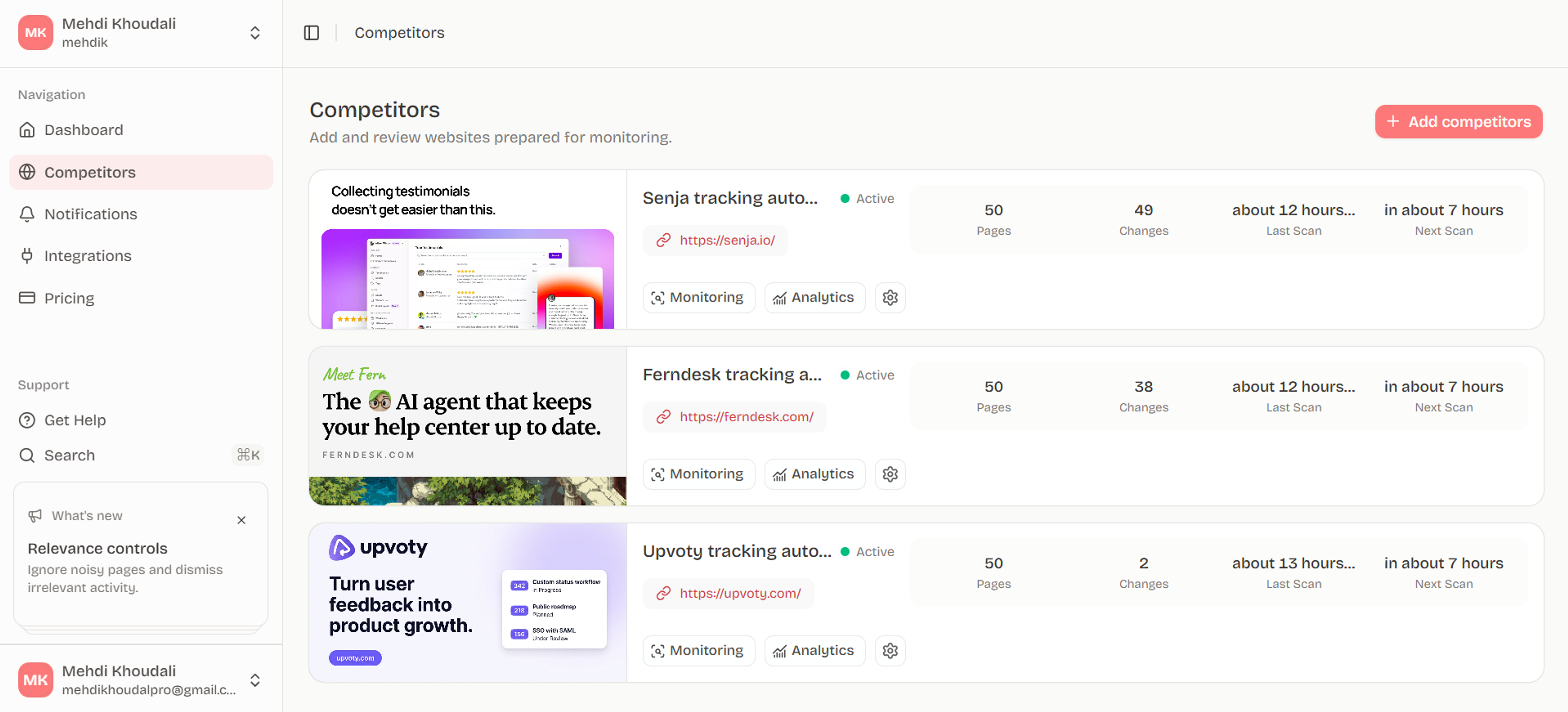
Ryvalise combines page-aware website change detection with competitor monitoring. It crawls same-origin pages within a bounded budget, classifies page types, prioritizes stable and high-signal pages, and keeps source changes separate from downstream activity analysis. That creates a reliable foundation for product marketing, sales, strategy, and SEO reviews.
Design for failure and recovery
Pages can fail, redirect, render thin content, or change their structure. A reliable workflow distinguishes a temporary capture problem from a genuine content removal. Keep the last rich snapshot, record the failed observation, and repair the state when the full page returns. Otherwise a crawler outage can look like a competitor deleted half its website.
Validate redirects and same-origin requests before following them. Treat every URL and page response as untrusted input. A page monitor should not be allowed to turn a public watchlist into a path toward private network resources or unexpected destinations.
Create a detection contract
For each monitor, document the URL, capture method, region, cadence, ignored volatility, importance, and expected action. The contract makes changes explainable and gives a future reviewer enough context to adjust the monitor without rebuilding it from memory.
Frequently asked questions
What is website change detection?
It is the automated comparison of a webpage or web response at different times to identify changes. Detection can operate on screenshots, text, DOM regions, API fields, or rendered content.
Is visual or text change detection better?
Neither is universally better. Use visual detection for layout and design; use text or DOM detection for prices, policies, product claims, and structured content. Many workflows use both.
Can website change detection monitor JavaScript pages?
Some tools can render JavaScript pages in a browser before taking a snapshot. Confirm that the tool waits for the meaningful content and supports the interaction the page requires.
How do I get an alert when a webpage changes?
Choose a monitoring tool, add the page, select the relevant region or detection type, set a cadence, and connect an alert channel such as email, Slack, Discord, or a webhook.
Does website change detection replace web scraping?
It replaces some recurring manual checks but serves a different purpose than large-scale extraction. Detection asks what changed; scraping often asks for a structured dataset. Use each only within public and permitted boundaries.
Put the research into motion
Detect the changes that matter across competitor websites while keeping raw page noise out of your daily workflow.
Start with Ryvalise