Tool comparison
Visualping Alternatives
Compare Visualping alternatives for competitor websites, pricing pages, page discovery, semantic changes, and team workflows.
Visualping alternatives are useful when you need a different balance of page discovery, semantic change analysis, self-hosting, browser automation, pricing, or team workflow. Visualping is well known for visual page monitoring, screenshots, highlighted changes, and use cases such as competitor monitoring and SEO monitoring.
Choosing Visualping alternatives
Visualping alternatives should be compared against the specific monitoring capability your team is missing.
Why teams look for an alternative
The right alternative depends on the gap. You may need whole-domain discovery instead of one URL at a time, richer page-type classification instead of raw screenshot diffs, browser steps for interactive pages, a self-hosted deployment, API access, or a workflow that connects changes to product and sales decisions.
| Need | Alternatives to evaluate |
|---|---|
| Selected page regions | Distill.io |
| Flexible self-hosting | changedetection.io |
| Enterprise CI workflows | Crayon, Klue, Kompyte |
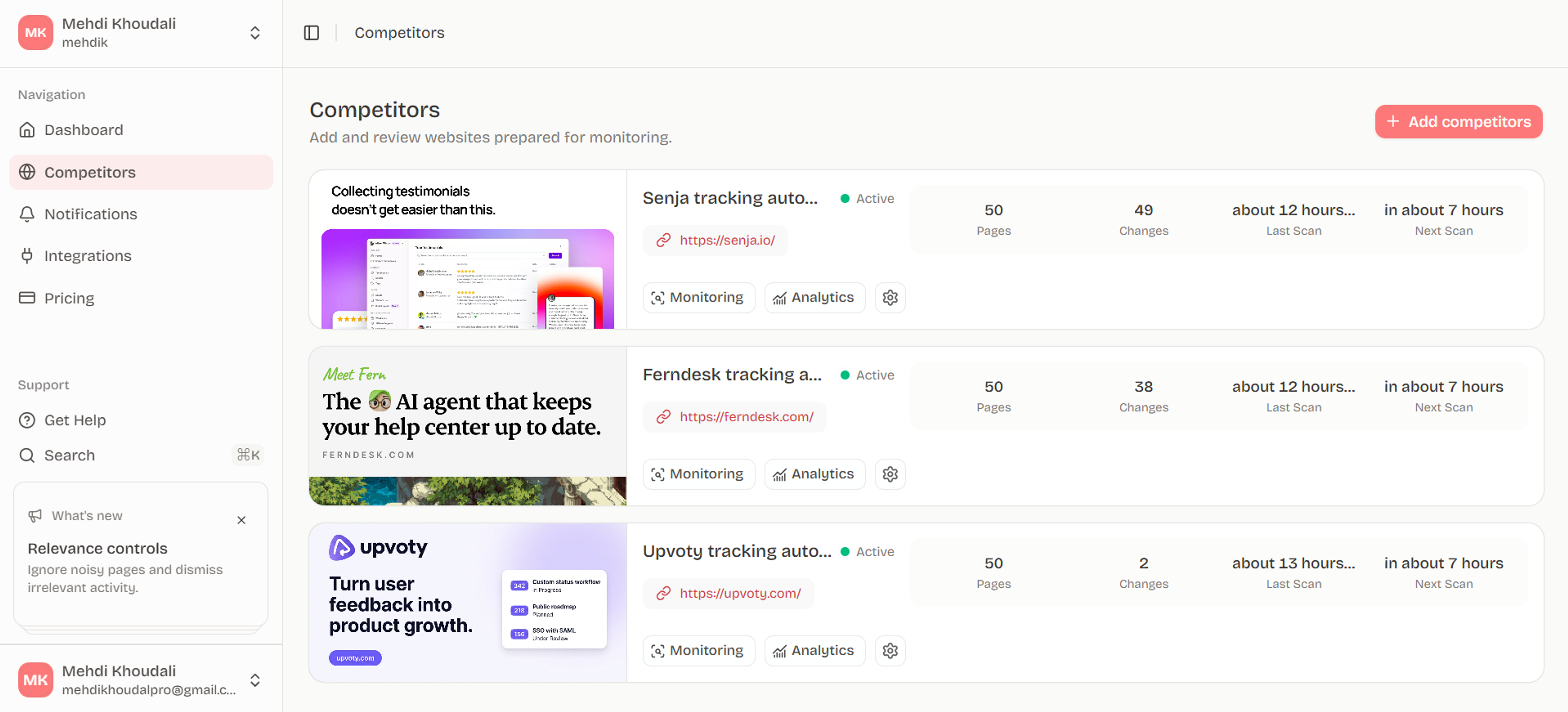
| Competitor website intelligence | Ryvalise |
| API and automation | A tool with documented exports or webhooks |
Distill.io
Distill.io lets users select parts of a page, monitor them in the cloud, keep version history, and receive notifications through multiple channels. It is a good fit when your workflow starts with a small number of specific regions such as a price, a product card, or a government notice.
Test how it behaves with modern rendering, selector drift, and pages that rotate content. A region-based tool can be precise, but the selector becomes a maintenance responsibility when a site redesigns its structure.
changedetection.io
changedetection.io offers open-source monitoring, targeted elements, browser steps, filters, and broad notification options. It is attractive to technical users who want control, self-hosting, or customized workflows.
The tradeoff is operational ownership. You may need to manage hosting, browser runners, updates, security, and tuning. Evaluate total operating time, not only the software cost.
Crayon, Klue, and Kompyte
These platforms are broader competitive intelligence products. Crayon emphasizes automated insights, importance scoring, and sales activation. Klue combines competitive intelligence with win-loss programs. Kompyte emphasizes automated collection, AI filtering, battlecards, and reporting.
They are a better comparison when your goal is a formal CI program rather than a lightweight page-change alert. Expect more configuration and a buying process shaped around team adoption, enablement, and integrations.
Ryvalise
Ryvalise is a Visualping alternative for teams whose primary question is “what changed across this competitor’s website, and why should we review it?” It uses bounded same-origin crawling, page-type classification, stable-core selection, source evidence, and activity summaries. That reduces the work of configuring every URL and helps distinguish meaningful changes from rotating content.
The difference is not that one model is universally superior. Visual comparison is valuable when appearance matters. Competitor-focused page intelligence is valuable when the team needs context across pricing, product, positioning, proof, and conversion surfaces.
How to choose
Run the same five-page pilot: pricing, product, changelog, comparison, and content hub. Score coverage, false positives, history, evidence, review time, and routing. If the tool cannot explain an alert quickly, it will become another inbox.
Choose based on the missing capability
Write the switching reason in one sentence: “We need whole-site discovery,” “we need selected text without layout noise,” “we need self-hosting,” or “we need evidence connected to competitor decisions.” Then test only the capabilities that support that reason.
The strongest comparison pages also explain what each option is not. A visual monitor is not automatically a complete CI platform. An enterprise CI suite is not automatically the fastest way to watch one pricing page. This honesty makes the comparison more useful and reduces mismatched purchases.
Check the migration cost
Count how many monitors, selectors, users, integrations, historical snapshots, and alert rules must move. Ask whether URLs remain stable and whether prior evidence can be retained. Migration effort is part of the alternative decision, especially when the existing workflow is already used by sales or product teams.
Use a switching scorecard
Score each option on the capability that caused the search: visual fidelity, semantic text changes, discovery, browser steps, history, alert routing, team workflow, and operating cost. Add a “not applicable” option so the comparison does not reward a tool for features you do not need.
Before deciding, ask a teammate who will receive the alert to review the output. A monitor can look excellent to its administrator and still be too noisy or too vague for the person expected to act on it.
Frequently asked questions
What is the best Visualping alternative?
The best alternative depends on the gap. Choose Distill.io for selected regions, changedetection.io for technical control, enterprise CI software for enablement, or Ryvalise for competitor-focused website intelligence.
Is there a free Visualping alternative?
Free plans, browser extensions, and open-source projects exist, but limits vary. Compare page count, frequency, history, rendering, and alerts before assuming a free plan covers your workflow.
Which Visualping alternative is best for competitors?
Use a tool that can monitor pricing, product, comparison, changelog, and content pages with source evidence. A competitor workflow benefits from page classification and prioritization, not only screenshots.
Can I self-host a Visualping alternative?
Some open-source projects support self-hosting. Account for browser automation, updates, security, backups, and alert delivery in the total cost.
Is Visualping better for visual or text changes?
Visualping is known for screenshot-based monitoring and highlighted changes. If your priority is semantic competitor analysis, test whether another tool gives you clearer text, page-type, and cross-page context.
Put the research into motion
See whether a competitor-focused monitoring workflow fits your needs better than a collection of isolated page watches.
Start with Ryvalise