Competitive intelligence
Competitor Monitoring Software
Learn what competitor monitoring software tracks, how to compare tools, and how to build a low-noise workflow around website changes.
Competitor monitoring software tracks public changes across rival websites and other market sources, then routes the useful signals to the people who need them. The strongest systems do more than detect movement: they preserve evidence, reduce noise, and connect a change to a business decision.
How competitor monitoring software works
Competitor monitoring software is valuable when collection ends in a decision-ready signal.
What competitor monitoring software monitors
Most teams begin with websites because a competitor’s site is where pricing, packaging, positioning, product claims, customer proof, and conversion paths become public. Over time, a monitoring program can add changelogs, blogs, integrations, careers pages, social profiles, ads, reviews, and regulatory pages.
The important distinction is between a source and a signal. A source is a page or profile you can check. A signal is a meaningful change on that source, such as a new plan, a new target segment, a new integration, or a new product page. Monitoring more sources does not automatically create better intelligence.
| Surface | Signals to watch | Likely owner |
|---|---|---|
| Homepage | Category, audience, promise, CTA | Product marketing |
| Pricing | Plans, limits, billing and qualification | Growth, product, finance |
| Product pages | Capabilities, use cases, proof | Product and sales |
| Changelog | Release cadence and product areas | Product |
| Comparison pages | Named alternatives and claims | Marketing and sales |
| Careers | Hiring themes and team expansion | Strategy and recruiting |
Detection is not intelligence
A generic text diff can tell you that a page changed. It cannot tell you whether a navigation timestamp, rotating testimonial, pricing limit, or new feature page deserves the same urgency. A useful product classifies the page, filters known volatility, and makes the raw evidence available to a reviewer.
Visualping focuses on visual comparison, highlighted screenshots, and importance assistance. Distill.io offers selected element monitoring, cloud checks, history, and multiple alert channels. changedetection.io provides targeted elements, browser steps, filters, and a broad set of notifications. These approaches are useful for different levels of control.
What to look for in a tool
The buying decision should cover data quality and operating behavior together. Test whether the software can render modern pages, follow redirects safely, handle repeated content, and retain a stable canonical URL. Then test whether it helps someone decide what to do with a change.
- Page discovery: does it find new pages or only watch manually entered URLs?
- Render reliability: can it read JavaScript-heavy pages and meaningful root text?
- Noise control: can you ignore rotating modules, timestamps, and repeated navigation?
- History: can a reviewer see the prior and current version with dates?
- Importance: can a pricing change be treated differently from a cosmetic change?
- Collaboration: can the signal reach Slack, email, a brief, or a sales workflow?
A low-noise monitoring model
Begin with a stable core of pages. For each competitor, choose the homepage, pricing page, most important product page, comparison page, and one chronological hub such as a changelog or blog. Add pages only when they answer a known question.
Assign each page an importance level. High-importance pages can generate an immediate review; medium-importance pages can feed a daily digest; low-importance pages can remain evidence without interrupting anyone. This separation protects trust in the alert channel.
The model should also distinguish observation from interpretation. “The competitor added an annual plan and moved the usage limit” is an observation. “The competitor is moving upmarket” is a hypothesis that needs corroboration from product, sales, or customer-proof pages.
How to evaluate the vendors in practice
Use a two-week pilot with the same competitor set and the same five page types. Record every alert, mark whether it was useful, and note whether the source evidence was sufficient to explain the result. Count useful signals per reviewer hour, not total alerts.
| Pilot metric | Why it matters |
|---|---|
| Meaningful-signal rate | Measures whether alerts deserve attention |
| False-positive rate | Shows the cost of noisy pages |
| Evidence completeness | Tells you if changes can be audited |
| Time to review | Measures workflow friction |
| Decision follow-through | Connects monitoring to outcomes |
How Ryvalise is different
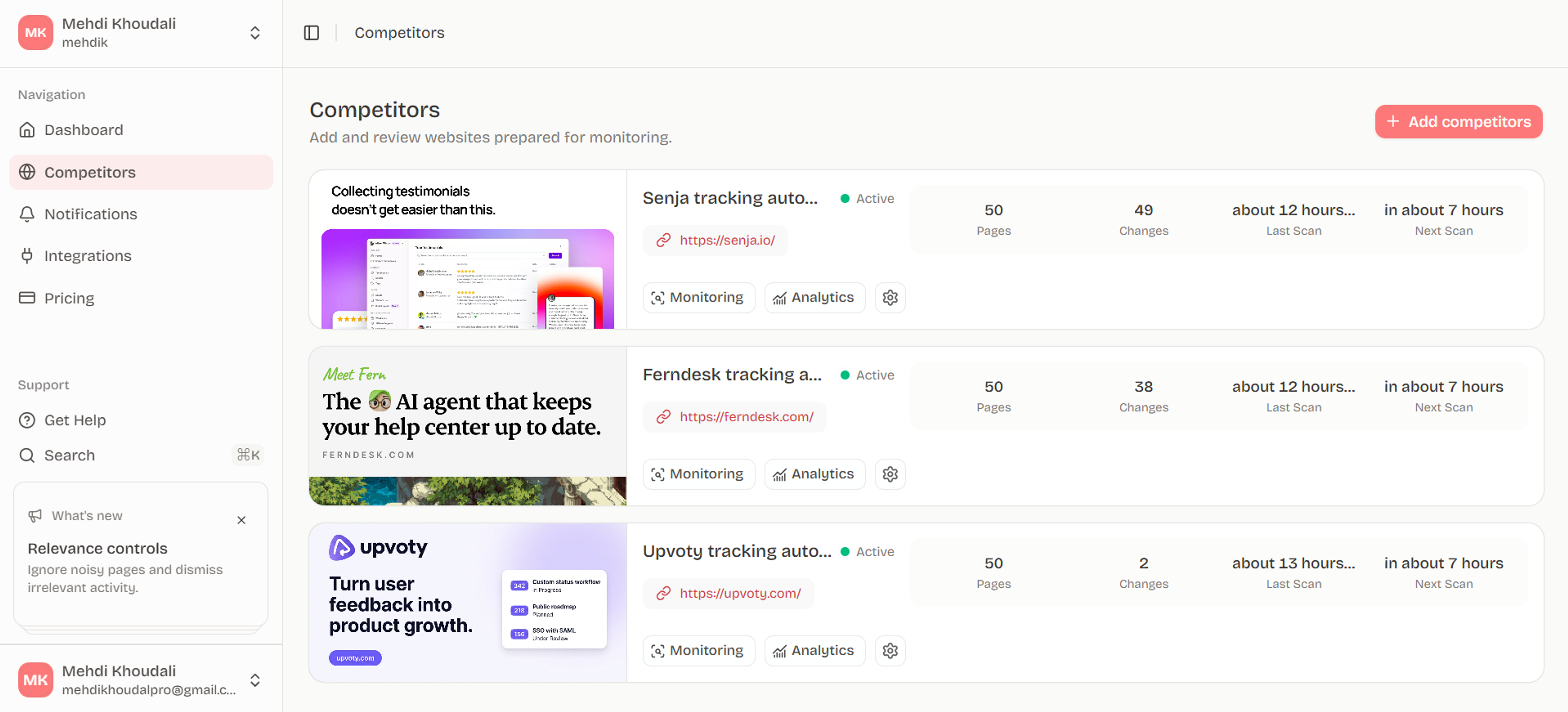
Ryvalise keeps the operating model centered on meaningful website change. It crawls up to a bounded page set, classifies page types, preserves manual choices, treats stable-core retention and discovery as separate decisions, and keeps factual changes distinct from AI-generated interpretation. That creates a useful bridge between a basic URL watcher and a large enterprise intelligence suite.
The aim is not to make every competitor update sound urgent. It is to help a product, marketing, sales, or strategy team see the few changes that should alter a conversation.
Measure the cost of noise
Alert fatigue is an operating cost. Count how many alerts are opened, ignored, duplicated, or escalated. A tool that produces more alerts but no additional decisions may be less effective than a smaller system with higher signal quality.
During a pilot, sample the alerts that were dismissed and identify the cause: volatile content, duplicate pages, poor rendering, missing context, or an overly broad rule. Each cause suggests a different fix. Suppressing all alerts hides the problem; classifying the noise teaches you how to improve the workflow.
Make the source record durable
Competitor pages change again after your team reviews them. Keep the observation date, prior state, current state, canonical URL, and page type so the signal can be understood later. Link the activity to the source evidence and state clearly when the interpretation is only a hypothesis.
Frequently asked questions
What is competitor monitoring software?
It is software that watches public competitor sources for changes and sends the resulting evidence to a team. Depending on the product, it can monitor websites, search visibility, social mentions, ads, reviews, jobs, and company news.
Is competitor monitoring legal?
Monitoring publicly available pages is generally different from bypassing access controls or collecting private data. Follow each site’s terms, respect access restrictions, avoid sensitive personal information, and use a tool that validates requests and redirects safely.
How many competitors should a team monitor?
Start with three to eight competitors that can influence an active decision. A smaller list with clear ownership is more useful than a large list nobody reviews.
How do I prevent alert fatigue?
Use page importance, stable change definitions, volatility filters, digest windows, and a review log. Track which alerts lead to decisions and tune the system from those outcomes.
What is the difference between competitor monitoring and competitor analysis?
Monitoring is the recurring collection of changes. Analysis is the interpretation and comparison that follows. Monitoring provides the time-stamped evidence analysis should use.
Put the research into motion
Give your team a single, source-backed view of competitor website changes instead of another stream of unfiltered alerts.
Start with Ryvalise